

Resources
Starlink Equipment
Here's the gear we usually recommend to get the most out of your Starlink connection. We picked each one for steady performance and an easy setup. They work great whether you live out in the country with few options or you just want faster internet at home.
Starlink gives you fast satellite internet almost anywhere. But the right accessories and a good setup make a real difference. The mounts, cables, and other parts below are the ones we trust and use ourselves.
Recommended Starlink Equipment
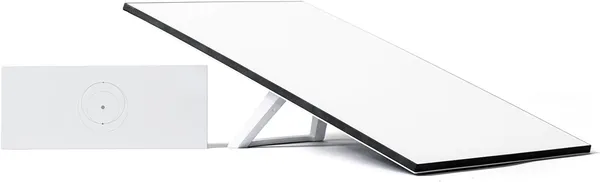
Starlink Standard Kit, AX Tri-Band Wi-Fi System
This is everything you need to get online in a few minutes. The Starlink Standard Kit comes with the V4 phased-array antenna, Gen 3 Wi-Fi 6 router, kickstand, 49ft Starlink cable, and power supply. You don't have to buy any extra hardware. The antenna even points itself for the best signal.
View on Amazon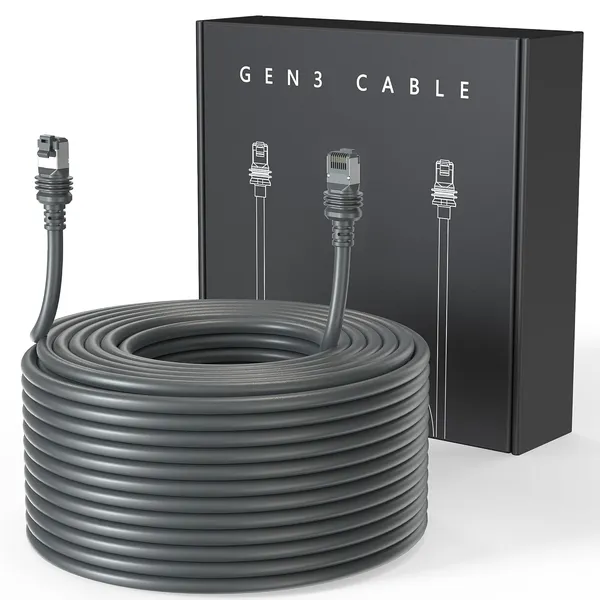
Starlink Cable, 100ft / Gen 3 Rectangular Dish
Need a longer run for your Starlink Standard Gen 3 dish? This 100ft replacement cable is made just for it, so you skip the adapters and workarounds. It's weatherproof and holds up fine outdoors. You get plenty of slack to run it through walls, attics, or along the outside of the house.
View on Amazon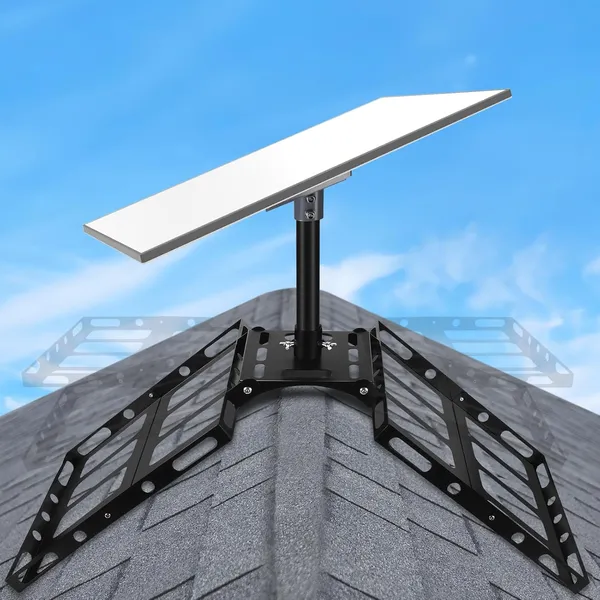
Starlink Gen 3 Roof Ridge Mount, No-Drill Kit
This no-drill roof ridge mount holds the Starlink Gen 3 Standard dish. It works on sloped or flat roofs and never puts a hole in your roof. It comes with a Gen 3 pipe adapter that snaps on without any tools. The swivel adjusts so you can set the dish at the right angle.
View on AmazonFrequently Asked Questions
Do you install Starlink?
Yes. We set up Starlink dishes and these accessories at homes and businesses across Solano County and beyond.
Do I need all of these accessories?
No. We recommend the ones that solve common Starlink setup problems, like mounting, longer cable runs, and backup power.